
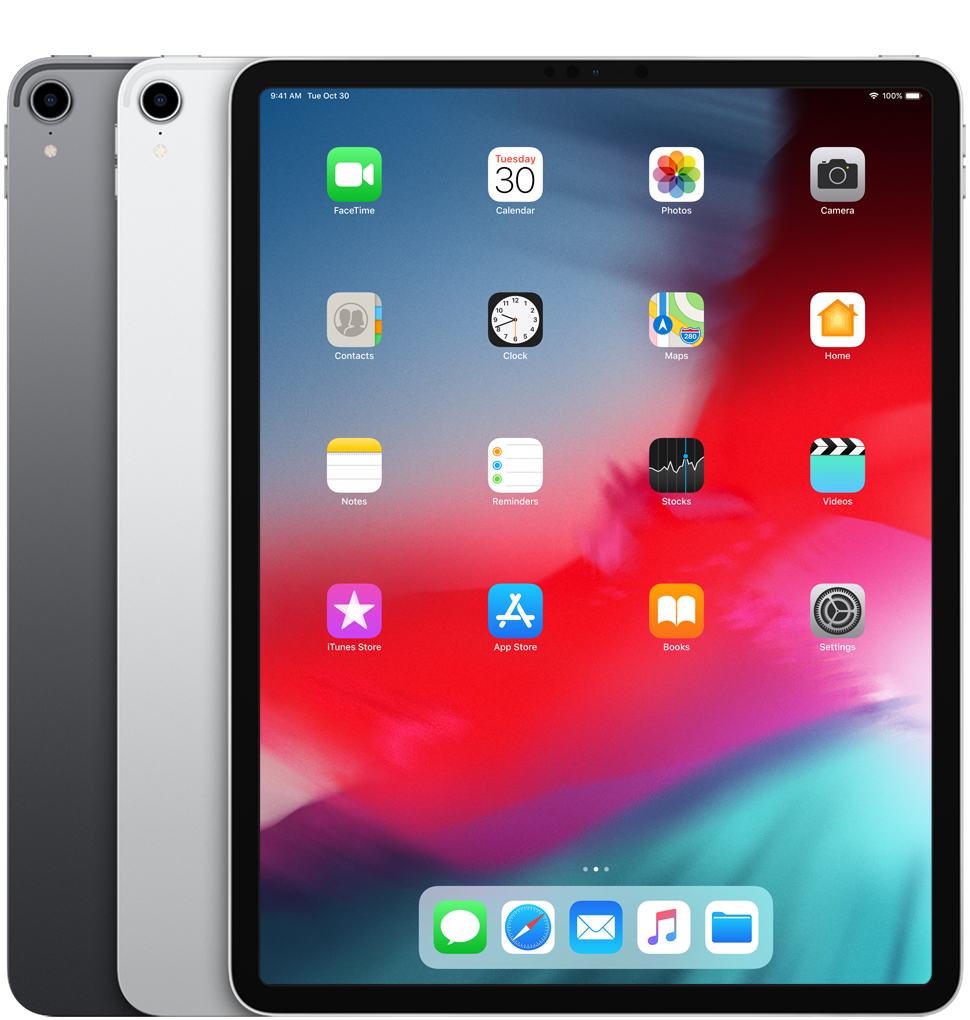
You can sell your iPad Pro 12.9-inch (3rd generation) to Sell Techs for cash, Wi-Fi or Wi-Fi + Cellular, whether it is like new, worn or broken. Choose your storage and condition and you will see our price straight away. Postage is free, and we pay the same day we test it.
About the iPad Pro 12.9-inch (3rd generation)
Released in November 2018, the 3rd generation 12.9-inch iPad Pro introduced the all-screen design with Face ID, a USB-C port, the A12X Bionic chip and support for the 2nd generation Apple Pencil. It came in 64GB, 256GB, 512GB and 1TB.
Is mine the 3rd or 4th generation?
They look almost the same from the front. The 3rd generation has a single rear camera. The 4th generation has a square camera bump with two cameras. Go to Settings > General > About to see the model name. If yours is the 4th generation, see our iPad Pro 12.9-inch (4th generation) guide.
How much is my iPad Pro worth?
Our price depends on storage, connection and condition. The table below shows our current top prices, and you can see your exact offer on our iPad Pro 12.9-inch (3rd generation) page. Once you accept, your price is locked for 14 days.
Can I sell a cracked or broken iPad Pro?
Yes. We offer a price in good, poor and broken condition, including a cracked screen, a bent case, battery problems or an iPad that won't turn on. Our condition guide explains each option. If your iPad doesn't match the condition you chose, we will email you a revised offer, which you can accept or decline.
How to sell your iPad Pro 12.9-inch (3rd generation)
- Get your price on our iPad Pro 12.9-inch (3rd generation) page.
- Turn off Find My and erase it. Follow our reset guide. Remove the SIM card if it has one.
- Send it free with the Royal Mail Tracked 48 label or QR code we email you, with cover up to £150, or book a doorstep collection.
- Get paid the same day we test it, by bank transfer, PayPal or cheque.
Selling your Magic Keyboard or Apple Pencil too? See our Apple accessories guide. See all models in our iPad Pro guide.
iPad Pro 12.9-inch 3rd Gen: what we pay today
| Model | Good | Poor | Broken |
|---|---|---|---|
| iPad Pro 12.9-inch (3rd generation) 256GB Wi-Fi | £230 | £138 | £15 |
| iPad Pro 12.9-inch (3rd generation) 256GB Wi-Fi + Cellular | £235 | £141 | £10 |
| iPad Pro 12.9-inch (3rd generation) 512GB Wi-Fi | £260 | £156 | £40 |
| iPad Pro 12.9-inch (3rd generation) 512GB Wi-Fi + Cellular | £275 | £165 | £35 |
| iPad Pro 12.9-inch (3rd generation) 1TB Wi-Fi + Cellular | £320 | £192 | £65 |
| iPad Pro 12.9-inch (3rd generation) 1TB Wi-Fi | £310 | £186 | £65 |
| iPad Pro 12.9-inch (3rd generation) 64GB Wi-Fi | £210 | £126 | £10 |
| iPad Pro 12.9-inch (3rd generation) 64GB Wi-Fi + Cellular | £215 | £129 | £5 |
Top prices for each model, updated live. Your exact offer depends on storage and condition.
Before you send it
- Turn off Find My and sign out of your Apple Account.
- Back up, then erase all content and settings. See how.
- Remove your SIM or eSIM.
- Pack it well. Packing tips.
iPad Pro 12.9-inch 3rd Gen: your questions answered
How much do you pay for iPad Pro 12.9-inch 3rd Gen?
It depends on the exact model, storage and condition. The table above shows our top prices today. Choose your model on our iPad Pro 12.9-inch 3rd Gen page to see your offer in about 30 seconds. Your price is then locked for 14 days.
What condition does it need to be in?
Choose the condition that best matches your device when you get your price. Our condition guide explains what each one means. We test every device when it arrives and check it against the condition you chose.
How do I send it to you?
Postage is free. After you complete your sale, we email you a Royal Mail Tracked 48 label or QR code, which includes cover up to £150 under Royal Mail terms. You can also book a doorstep collection. See postage and collection and our packing tips.
How and when do I get paid?
Choose bank transfer, PayPal or cheque. We pay the day we test your device. See payments for details.
What should I do before I send it?
Back up your data, sign out of your accounts and reset the device to factory settings. Follow our step-by-step guide. Remove any SIM or memory card.