
Last reviewed: 18 November 2026 · By Sell Techs Business Team
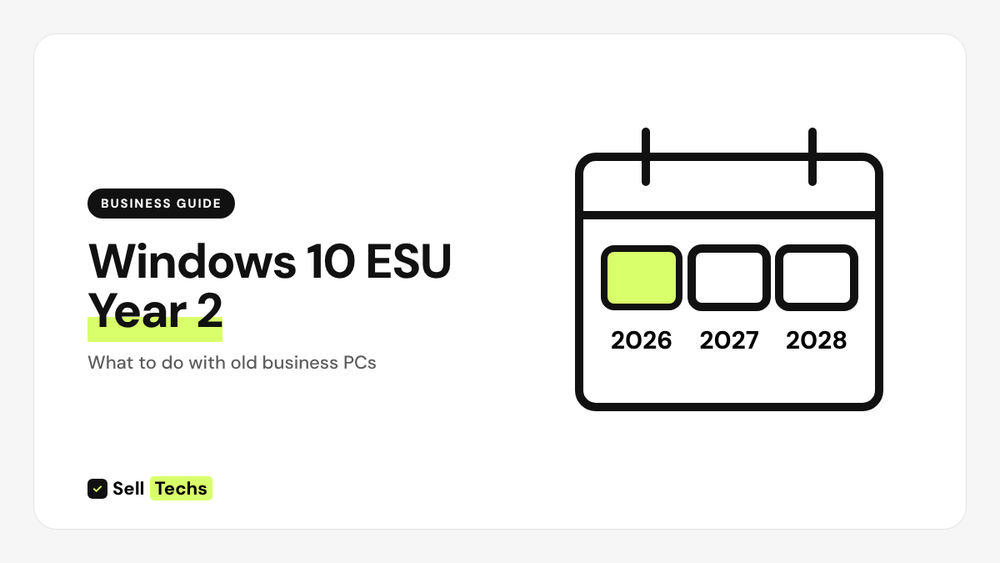
Year 1 of Microsoft's commercial Extended Security Updates (ESU) for Windows 10 ended on 13 October 2026. Year 2 runs to 12 October 2027, and Year 3, the last, to 10 October 2028. The price doubles each year, so for most organisations the better long-term answer is to replace PCs that can't run Windows 11 and sell the old ones while they still have value.
Who this is for: IT managers and business owners with Windows 10 PCs still in use.
The dates
| Stage | Dates |
|---|---|
| Windows 10 end of support | 14 October 2025 |
| Commercial ESU Year 1 | To 13 October 2026 |
| Commercial ESU Year 2 | 14 October 2026 to 12 October 2027 |
| Commercial ESU Year 3 (final) | To 10 October 2028 |
Microsoft also extended its separate consumer ESU programme for personal devices to 12 October 2027. PCs joined to a workplace domain or managed by an organisation use the commercial programme instead. Always check Microsoft's own lifecycle pages for the latest details.
Your three options
- Pay for Year 2. It keeps security fixes coming, but each year costs more and it ends in 2028 at the latest.
- Upgrade to Windows 11 where the hardware supports it, such as a supported processor and TPM 2.0. Microsoft's PC Health Check app, or your management tool, will tell you which PCs qualify.
- Replace and sell. Buy Windows 11 PCs and sell the old ones to recover part of the cost.
Why sell now rather than later
Used business PCs lose value every year, and faster once they are out of mainstream support. Business models such as ThinkPad, EliteBook, Dell Latitude and Surface are refurbished and resold, so they often still have value now. Waiting until 2028 usually means less.
What replacements look like
Current business ranges include Dell Pro laptops, HP EliteBook, Lenovo ThinkPad X1 Carbon and Microsoft Surface for Business. Many organisations swap one team at a time and sell the old devices as each wave comes back. See our guide to planning a laptop refresh.
Getting old PCs ready to sell
- List them: make, model, processor, RAM, storage, quantity and condition. Use our free asset list template (CSV).
- Release them from Windows Autopilot and Intune, and remove BIOS passwords. See releasing Windows laptops.
- Check BitLocker. If it was on, a reset gives good protection. If not, plan a full erasure. See is a factory reset enough?
How we handle it
- Itemised quote, usually within one working day, for working and faulty PCs.
- We arrange courier collection anywhere in the UK, or you can send the devices with your own courier.
- Every device is wiped before resale. Need a certificate of erasure? Just ask.
- Paid by bank transfer the same day we finish checking your devices.
Questions
Are PCs that can't run Windows 11 worth selling?
Often, yes. List them and we'll price each line.
Can we sell PCs with ESU licences on them?
ESU licences belong to your organisation, not the hardware buyer. Reset the PCs before collection.
Do you buy desktops and monitors too?
Yes. See selling office desktops and monitors.
Get a business quote
See it before you commit. Ask for a sample itemised quote. Send your list through our business page, email business@selltechs.co.uk or call 020 7070 8222, Monday to Friday, 9am to 5pm. See also sell business laptops.
Sources: Microsoft Windows 10 lifecycle and Extended Security Updates pages. Dates checked 18 November 2026. This guide is general information.
Selling five or more devices?
- Itemised quote, usually within one working day.
- We arrange courier collection anywhere in the UK, or you can send the devices with your own courier.
- Every device is wiped before resale. Already wiping devices in house? That's fine. We still wipe every device again before resale.
- Hard drive shredding: on site across Greater London, or at our premises, and you can watch it happen.
- Paid by bank transfer the same day we finish checking your devices.
- VAT registered. We accept VAT invoices, and can send your finance team our company details and a purchase order number.
See it before you commit. Ask for a sample itemised quote. Need a certificate of erasure too? Just ask.
Free downloads
- Asset list template (CSV): fill it in and send it with your quote request.
- Business IT disposal checklist (PDF): everything to do before devices leave your organisation.
Business selling: your questions answered
Is there a minimum?
Our business service is for five or more devices, working or faulty. For fewer, see our online prices.
How quickly will we get a quote?
Send your asset list and we reply with an itemised quote, usually within one working day.
When do we get paid?
By bank transfer, the same day we finish checking your devices.
What if a device doesn't match our list?
We email you the details and a revised price for those items before we pay.
Can we get a certificate of erasure?
Yes, if you need one. Just ask before collection. See business data erasure.